Web Calendar - Integration with SOAP Web Services
back to login page
back to details of Automation used
back to details of SOAP Web Services Integration implemented
back to details of Continuous Integration and Continuous Deployment (CI/CD) using 'onprem and cloud Jenkins ' implemented
to details of Azure hosted scalable microservice based setup of this site
Table of Contents1. PURPOSE 2. WHAT DOES IT INTEGRATE WITH 3. WHY IS IT IMPORTANT? 4. HOW DOES IT INTEGRATE 5. TESTING USING SOAP UI 6. PREVIOUS WORK WITH WEB SERVICES Back to Top |
||||
1. PURPOSETo demonstrate how SERVICE ORIENTED ARCHITECTURE can be incorporated into a project.Back to Table Of Contents |
||||
2. WHAT DOES IT INTEGRATE WITHThis application integrates with a web service that supplies month start and end dates and also the corresponding weekdays. NOTE: This webservice was created and integrated into this application in 2016 when Redhat cloud (Openshift) allowed upto three web applications to be hosted on their free subscription. Now they allow only one application. Therefore, I had take down this webservice (it is no longer operational) and remove the integration with this web calendar application. However, the notes on this page are still valid because they are from 2016 when the webservice was hosted and operational while being integrated with this web application. Back to Table Of Contents |
||||
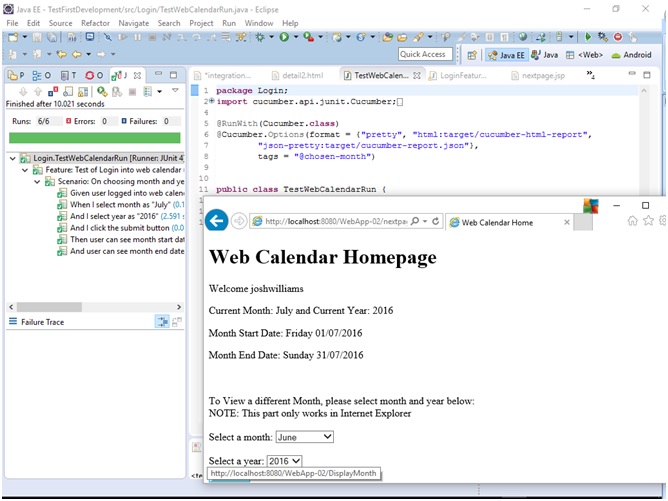
3. WHY IS IT IMPORTANTThis application has been developed entirely using test driven development including the web services integration.Back to Table Of Contents |
||||
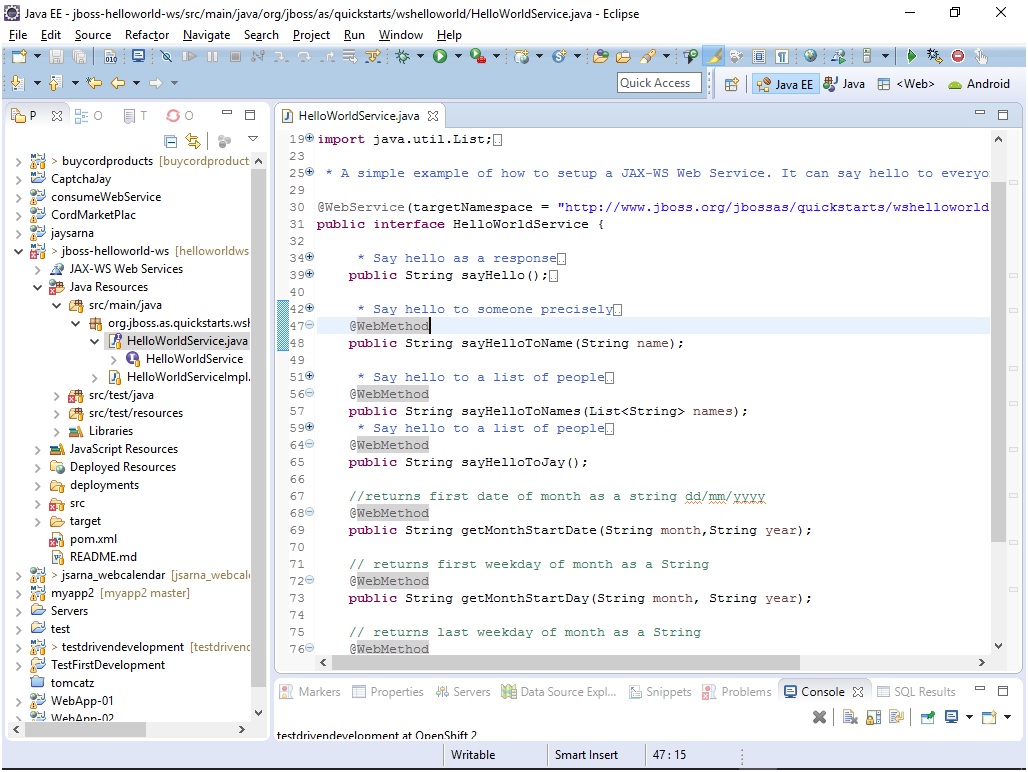
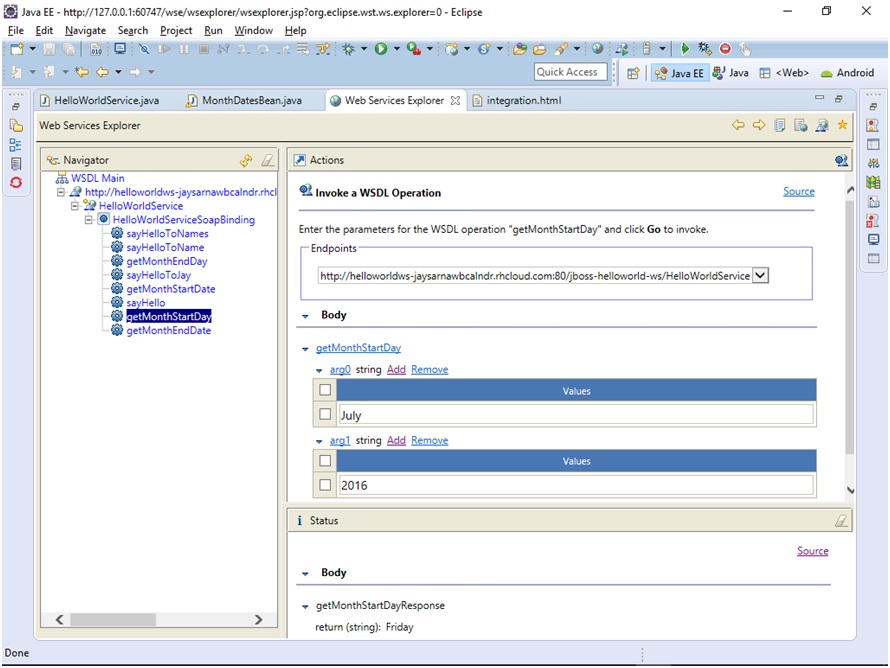
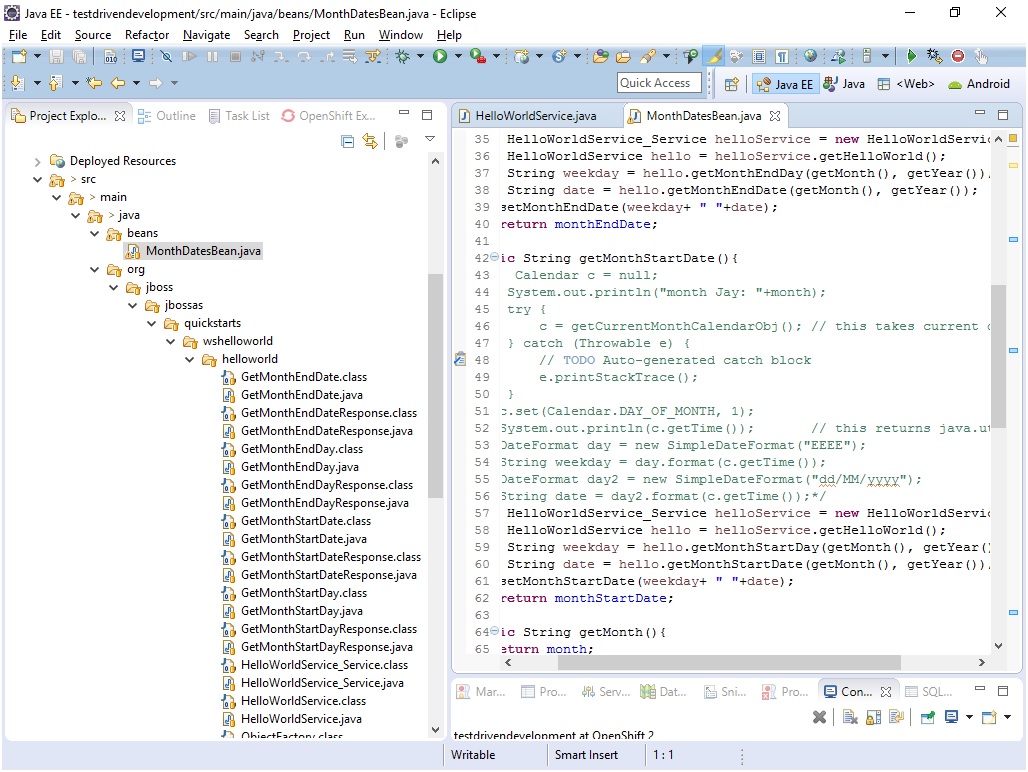
4. HOW DOES IT INTEGRATEThree step process was followed to achieve the integration:
Back to Table Of Contents |
||||
5. TESTING USING SOAP UIThe Web Service created was also integration tested using SOAP UIIn particular, 1. SOAP UI was used to create sample XML messages using the wsdl. 2. The sample SOAP messages were sent to the web service via SOAP UI. 3. The response messages received in SOAP UI, were verified to ensure they displayed the expected information. 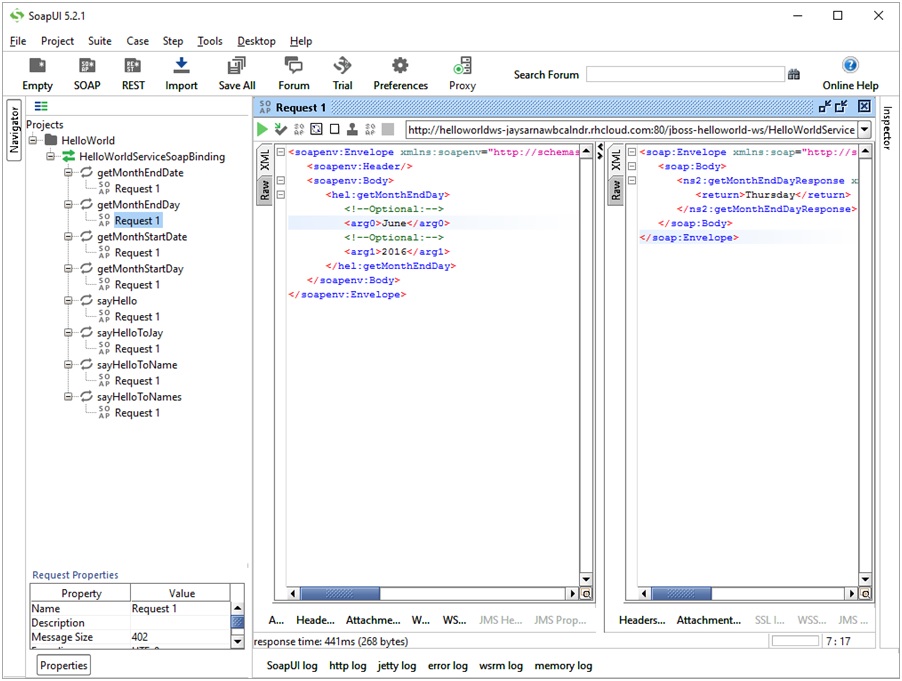
Back to Table Of Contents |
||||
6. PREVIOUS WORK WITH WEB SERVICESUniversity of Auckland, Bachelor of Engineering Final year project on Web Services Availability -------------- PROJECT AIM: To develop a Software Framework to Dynamically Reconfigure Web Services to deal with downtime -------------- During my final year at university I co-developed with one partner a software framework for dealing with downtime experienced by web services, both scheduled and unscheduled, with the aim of making remote web services robust. Received 'A' grade for project. The application developed would monitor the communications with the web service via a proxy and if it noticed an outage, it would in real time switch to another web service, the link to which was stored in an associated database and could be updated via a GUI interface by a privileged user. In case of maintenance related scheduled outages, this GUI could be used to initiate the switch to a standby web service by user. For unscheduled outages, we came up with two algorithms to implement the proxy’s response, a “pro-active” one and a “re-active” one. The “pro-active” one would use pings to determine the health of the web service and if noticing an outage, it would switch web services in real time. The “re-active” one would use as a trigger, an outage related exception generated by the web service in response to a valid request due to unforeseen outage, to perform the switch. See below "Summary of Project" Poster used for research's presentation 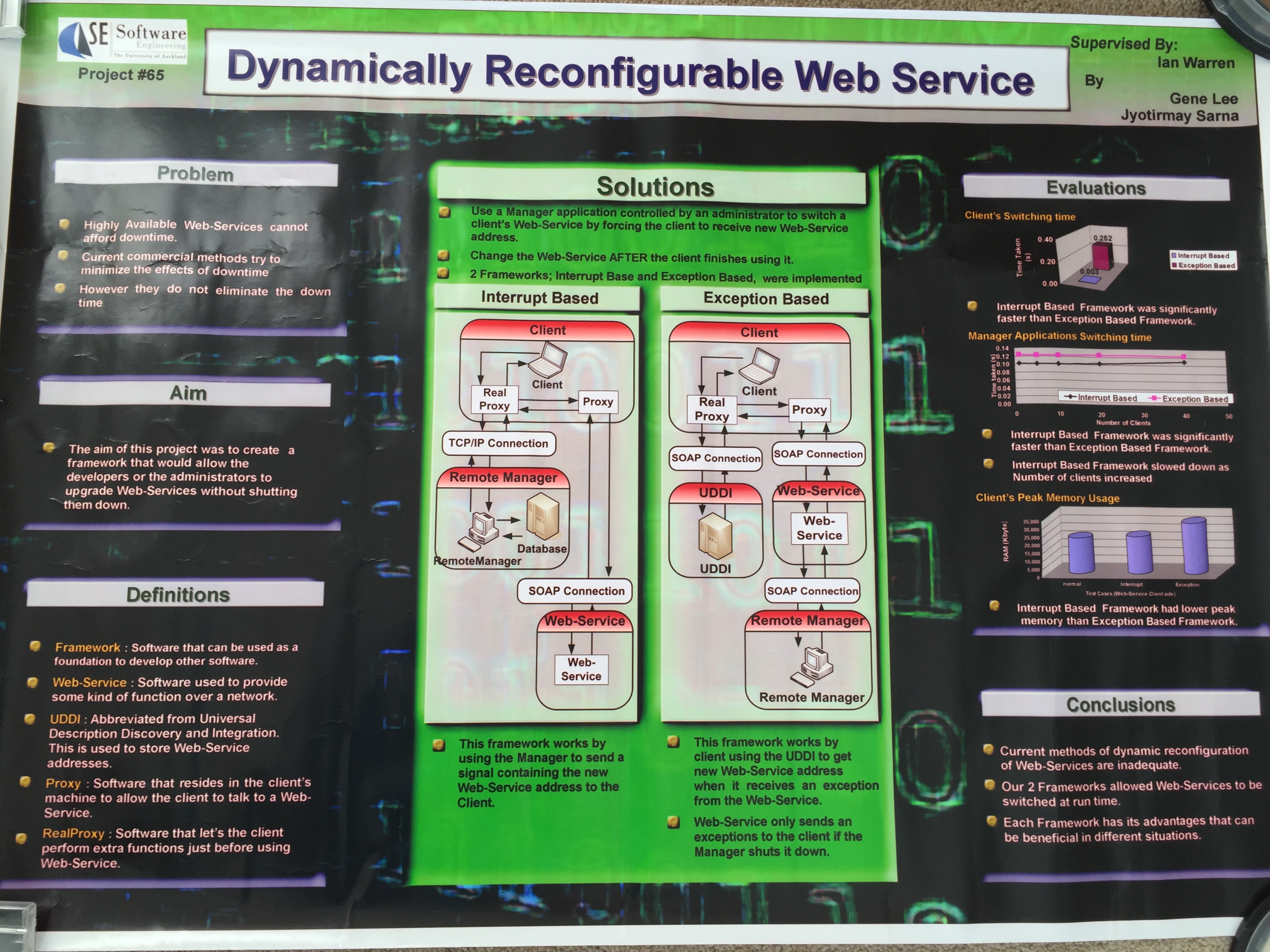
For details of project, see whitepaper released. Back to Table Of Contents |
back to Top of Page
back to details of Automation used
back to login page
back to details of Continuous Integration and Continuous Deployment (CI/CD) using 'onprem and cloud Jenkins ' implemented
to details of Azure hosted scalable microservice based setup of this site
�Jay Sarna 2023